
Keep supplier bills under control
Upload a supplier invoice or take a photo. The assistant reads the details, and you check the bill before approving it and recording payment.
Start freeNo credit card. No time limit on the free plan.
Let the assistant do the first reading
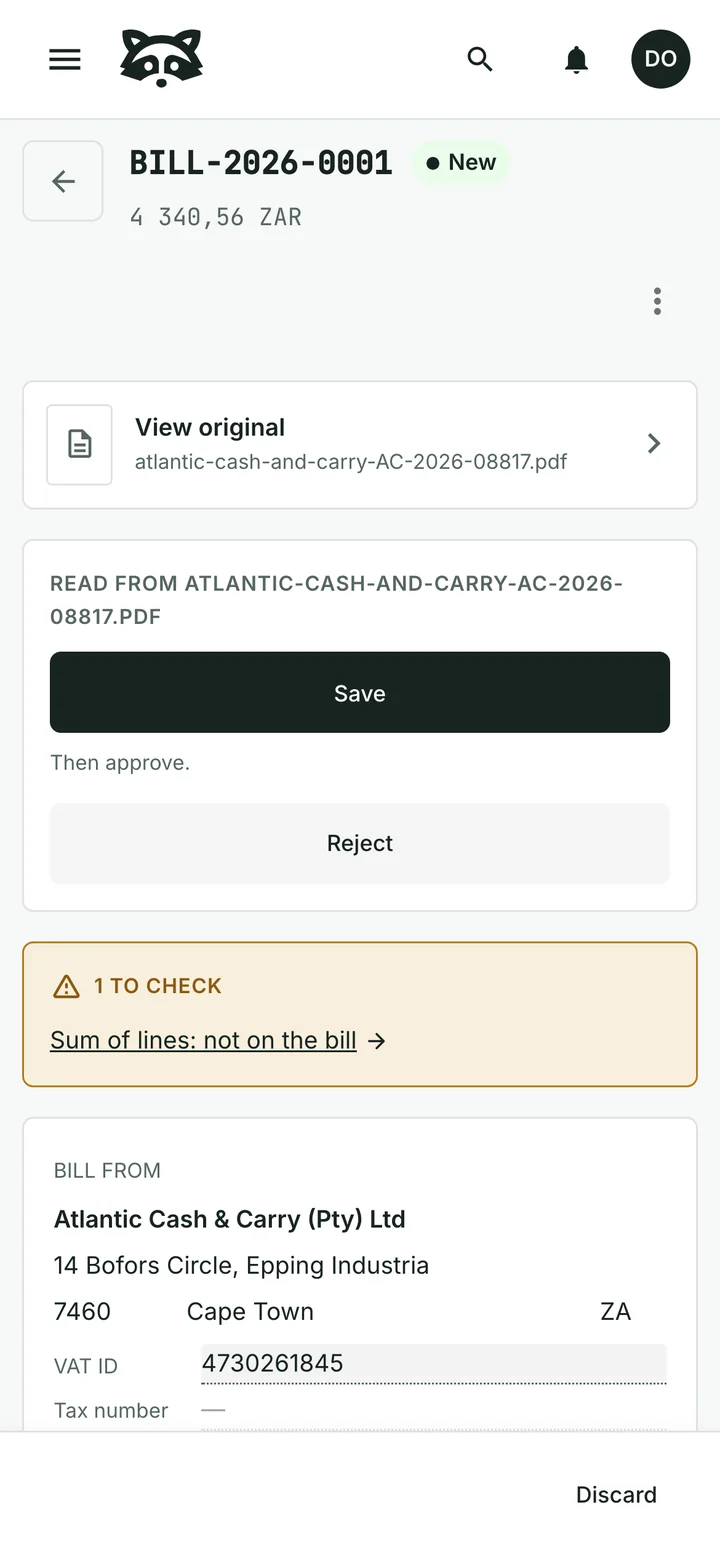
The assistant picks out the supplier, invoice number, dates, items and totals. Review the proposed details and open the original invoice whenever you need to compare them.
Points that need attention are flagged for you to check. You can correct the details before saving.
Approve it when you are ready
Accepting the extracted details and approving the bill are separate steps. The assistant cannot approve a bill for you.
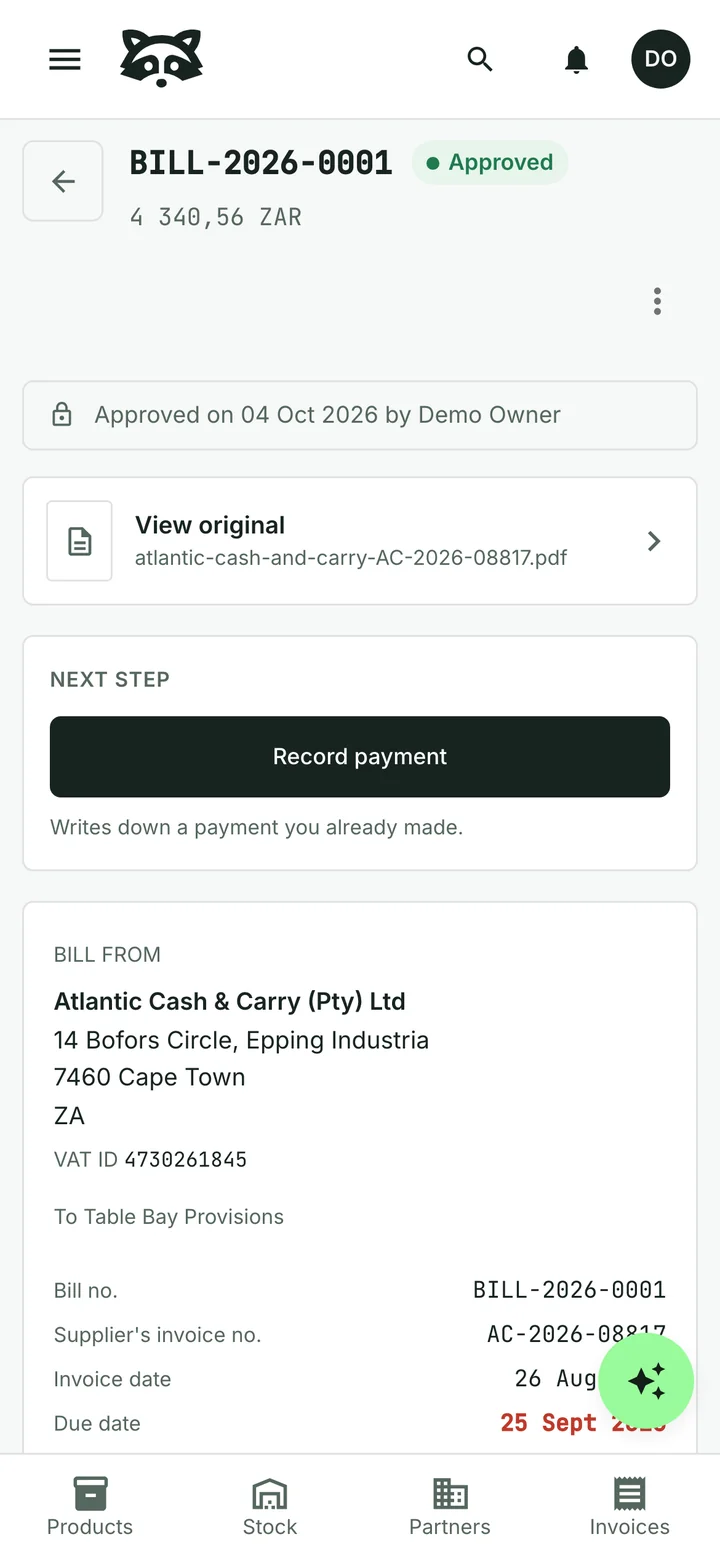
Keep the original document, the supplier’s invoice number and the due date together with the bill.
Record what you paid
Record payments against an approved bill and see the balance still due. A partial payment leaves the remainder visible.
The example above is a supplier invoice for a shop. The same process works for other business purchases, from packaging to professional services.
Common questions
Can I use a photo or a PDF?
Yes. Upload a supported image or PDF of the supplier invoice. You review the details the assistant reads before accepting them.
Will the assistant approve or pay a bill?
No. A person approves the bill. Recording a payment in Raccoon records money paid outside the system; it does not send money to the supplier.
What if the assistant reads something incorrectly?
Correct the proposed details while reviewing the bill. Keep the original document available for comparison; the assistant’s reading is a starting point for your review.
Do the items need to be in my product catalogue?
No. Supplier bills can include purchases you do not sell, with the supplier’s own descriptions and amounts.
Can I start for free?
Yes. The free plan has no time limit and needs no credit card. Paid plans are billed monthly, with prices and limits shown for your country.
See plans and pricingTry it with your business
Start with a customer, a product or a supplier bill. The assistant can help you from there.