
Run your business from Claude
Ask Claude about your Raccoon records, draft an offer from a customer's email or record a supplier bill. You choose the connection's permissions.
Start freeNo credit card. No time limit on the free plan.
Ask about your Raccoon records
Claude reads your invoices, customers and suppliers, products and payments, and answers in plain words:
- "Who owes me money, and since when?"
- "What did Mama Njeri's Catering buy last month?"
- "Which invoices are overdue this week?"
No reports to build, no export to a spreadsheet.
Tell Claude, and it lands in Raccoon
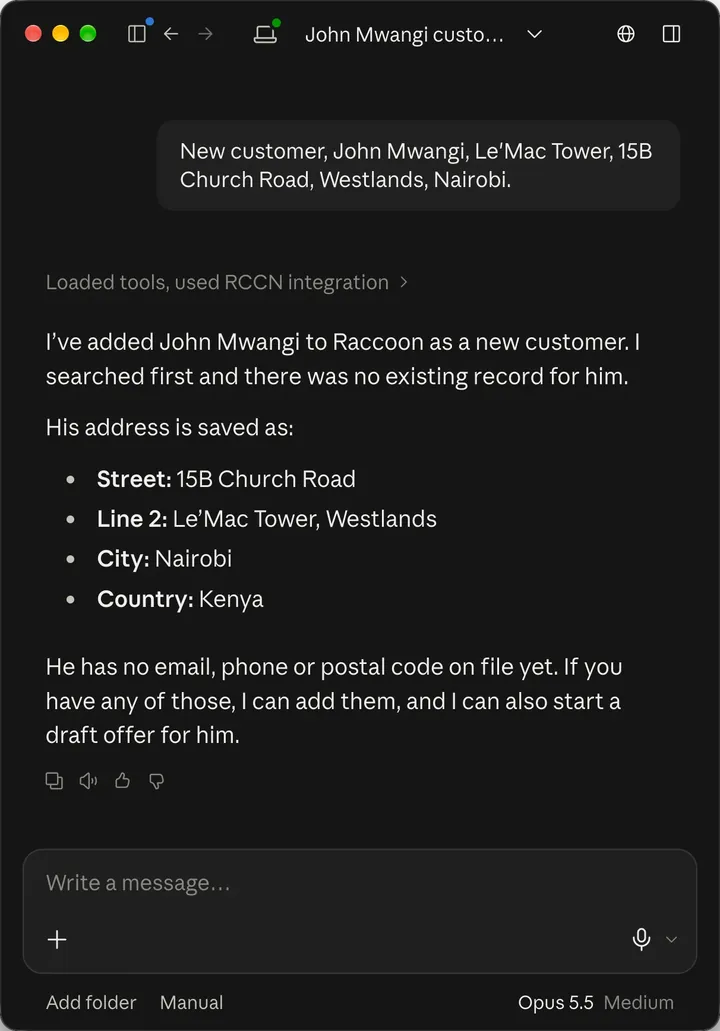
- Paste a customer's message, and Claude adds them as a customer.
- Forward a request, and Claude drafts the offer.
- Show it a supplier bill, and Claude records it for you to approve.
Ask Claude to check whether the customer already exists before creating a new record. Offers stay drafts with no number until you send them. Bills wait until you approve them.
You decide what Claude may do
When you connect, you tick what Claude may read and what it may draft. Out of the box it can only read.
Claude can never finalize, send, approve, pay or delete anything. Those steps stay in Raccoon.
The owner can switch AI connections off for the whole business at once, and you can revoke a connection at any time. Raccoon shows when each connection was last used.
Connect in three steps
The owner first turns on AI connections under Settings › AI connections in Raccoon. Then:
- In Claude, open Customize › Connectors and add a custom connector named Raccoon.
- Enter
https://api.rccn.io/mcpas the remote MCP server URL and follow the setup prompts. - Connect, sign in to Raccoon and choose what Claude may do. Enable Raccoon in your Claude conversation.
On Claude Team or Enterprise, someone with permission to manage connectors must add it for the organisation first. See Anthropic’s setup guide.
Where does my data go?
What Claude reads through the connection is sent to Claude for your conversation, and disconnecting does not remove it there. Claude may pass data on to other tools enabled in the same conversation, so only connect tools you trust.
What Raccoon stores about each connection is in the privacy notice; the terms cover what a connection may do.
Common questions
Can Claude change anything in Raccoon?
Only what you allow when you connect. Claude can add and edit customers and suppliers, draft offers and record supplier bills. It never finalizes, sends, approves, pays or deletes anything.
What can Claude see?
The business you connected, within your own Raccoon permissions. Claude cannot reach your other businesses through that connection.
Is this the same as Raccoon's own assistant?
No. The assistant inside Raccoon works on every screen and asks before every change. The Claude connection is for when you are already working in Claude.
Try it with your business
Start with a customer, a product or a supplier bill. The assistant can help you from there.