
Invoice and collect in Kenyan shillings
Prepare quotations and invoices in shillings, request customer payments and see what is still owed. Get help with the paperwork from the assistant.
Start freeNo credit card. No time limit on the free plan.
Send the invoice, then request payment
Prepare an invoice with your customer details, KRA PIN where applicable, and VAT shown separately. Review it before sending it by email.
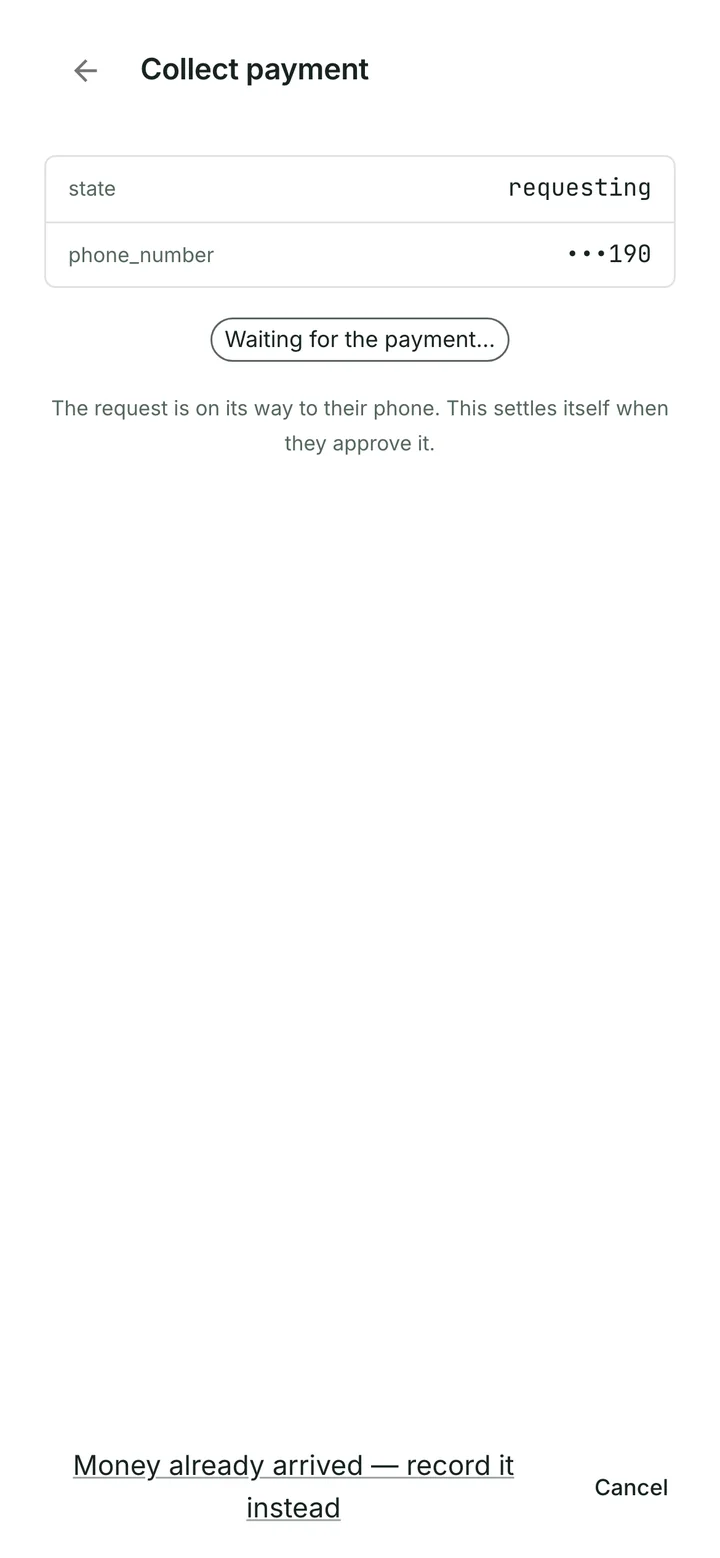
With your own M-Pesa merchant connection configured, start a payment request from the invoice. The customer approves on their phone, and the payment is matched back to the invoice. Money goes to your merchant account.
Start with what the customer asked for
“Please invoice Njeri Kamau for 23 mandazi.”
Use your catalogue prices and saved customer details to prepare a quotation or invoice. Ask the assistant to draft it, then review the quantities and amounts.

Keep track of the balance
Record money received outside Raccoon too, including partial payments. See what is still due and review proposed reminders for overdue invoices.
You can also upload supplier bills for the assistant to read, ready for your review.
Explore supplier billsStart free
Choose a paid plan when you need higher limits. Prices include VAT.
Free
KES 0 forever
For one person getting started.
- 100 assistant actions a month
- 1 user
- Up to 50 products
- Up to 20 invoices a month
Starter
KES 799 a month
For regular invoicing.
- 150 assistant actions a month
- 3 users included
- Up to 1,000 products
- Up to 200 invoices a month
Upgrade in-app by card. M-Pesa coming.
Growth
KES 1,599 a month
For a team sending invoices every day.
- 350 assistant actions a month
- 10 users included
- No product limit
- No invoice limit
Upgrade in-app by card. M-Pesa coming.
Common questions
Does Raccoon submit invoices to KRA eTIMS?
No. Raccoon does not connect to eTIMS or obtain tax-authority clearance. Use KRA’s eTIMS service or a supported integration for electronic tax invoicing.
Read KRA’s eTIMS guidanceCan customers pay my invoices with M-Pesa?
Yes, after you configure your own supported M-Pesa merchant connection. Start a collection request from the invoice; the customer approves it on their phone. Funds go to your merchant account.
Can I pay for my Raccoon subscription with M-Pesa?
Paid Raccoon plans are currently paid by card. M-Pesa subscription payments are coming; this is separate from collecting customer payments into your own merchant account.
Try it with your business
Start with a customer, a product or a supplier bill. The assistant can help you from there.