
Know what you have in stock
See how much you have in the shop, the store room or the van, what it is worth and what is running low. Record deliveries and stocktakes in a few taps, or ask the assistant.
Start freeNo credit card. No time limit on the free plan.
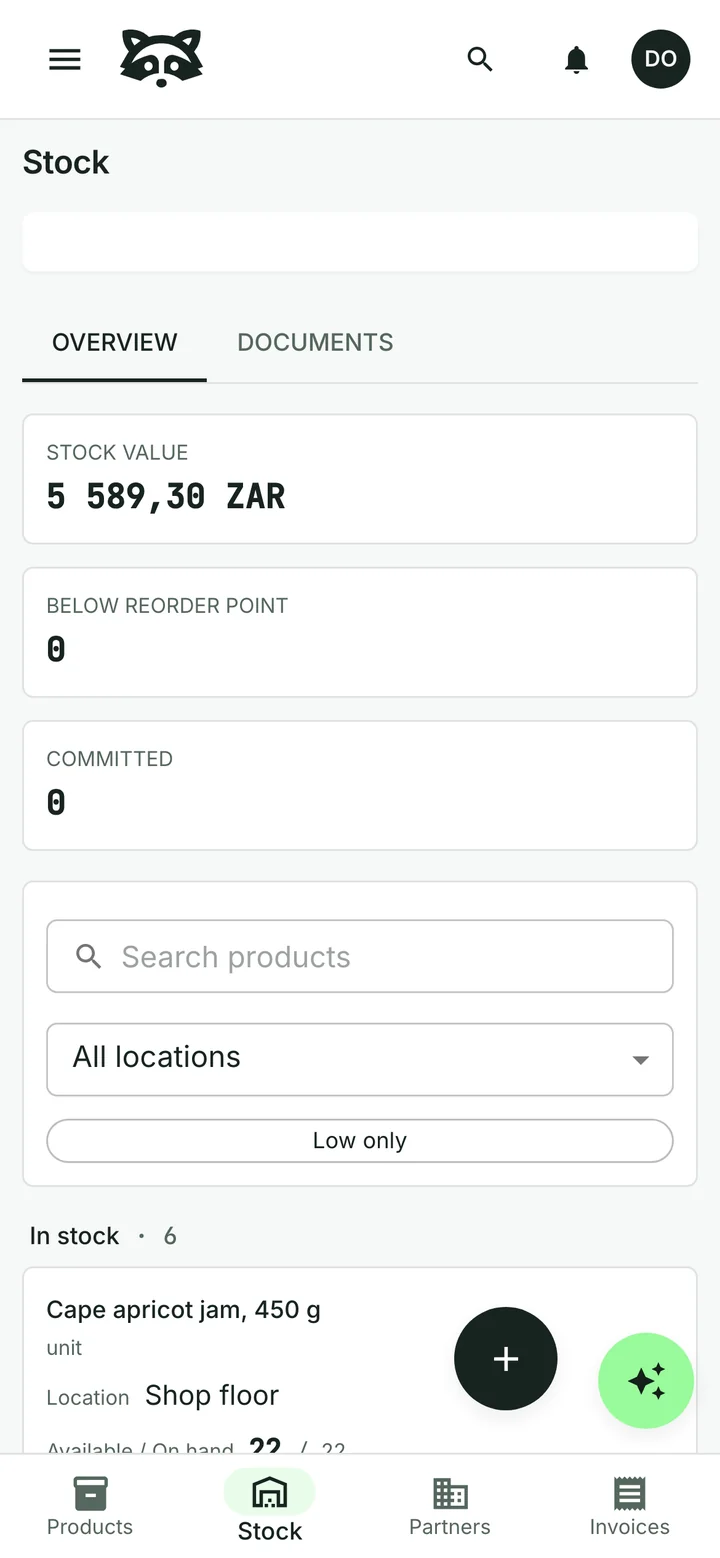
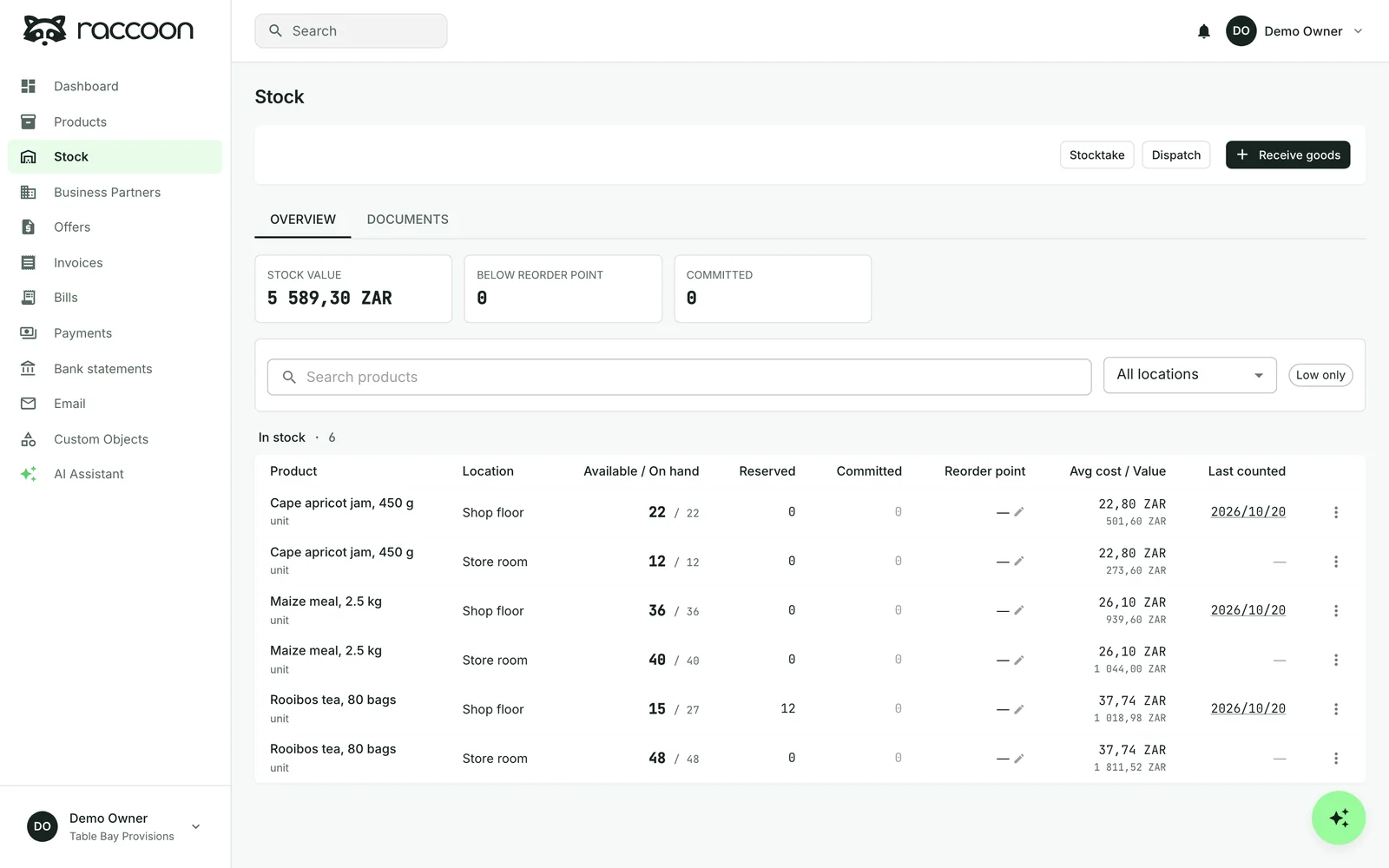
Stock and its value at a glance
See each product's level in every location, what draft invoices have reserved and what is still available. Raccoon values your stock at average cost, so the total moves with what you actually paid.
Set a reorder point and get a task when recorded stock falls below it.
Deliveries in, stocktakes done
“We received 24 packs of rooibos for the store room.”
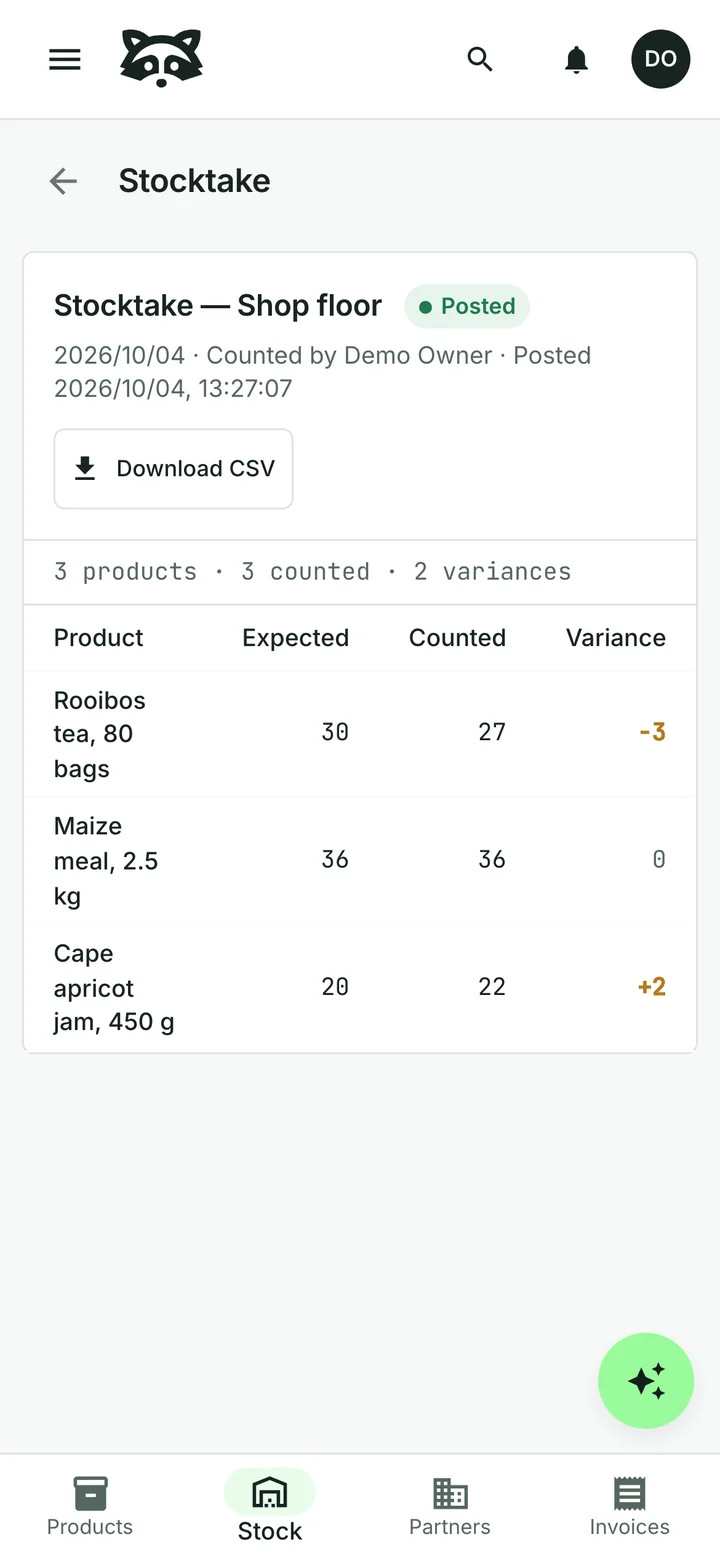
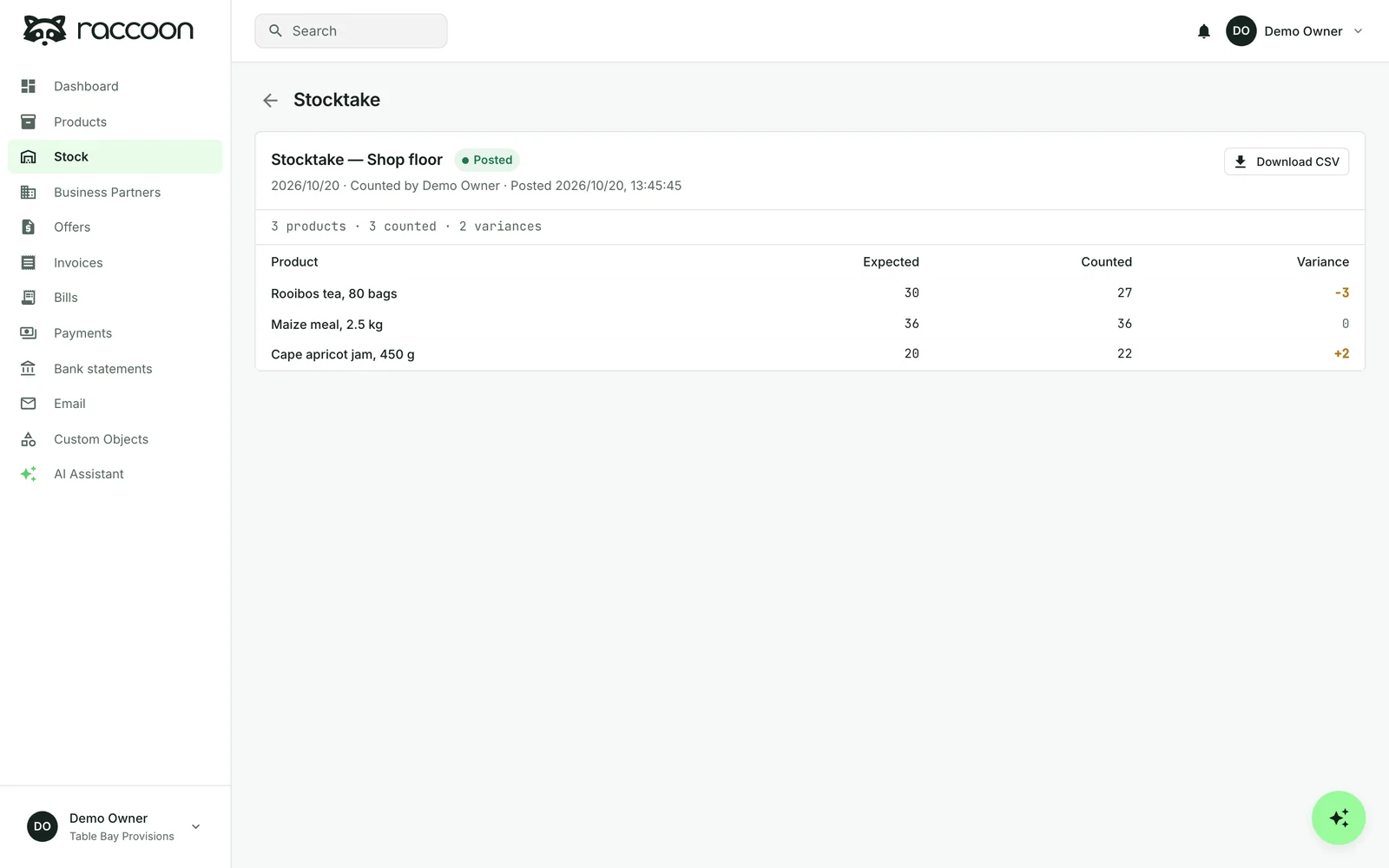
Record what arrived and where it went. Count a location and Raccoon shows expected, counted and the difference before you post it. Download the count as a spreadsheet if you need it.
The assistant can record deliveries, counts and moves for you. Each one waits for your approval.
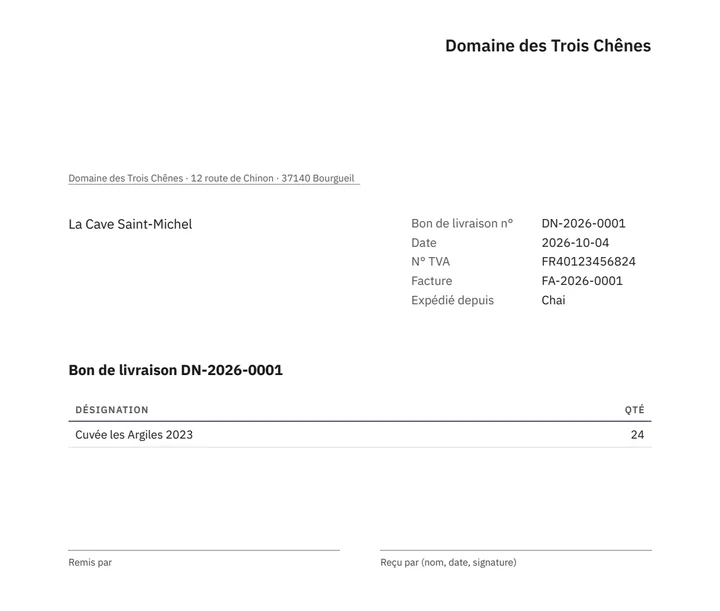
Goods out, with a delivery note
Record a dispatch from a quote, an invoice or on its own. Raccoon prints a delivery note in your customer's language, and the stock leaves the location it came from.
Stock works on top of your product list; switch it on for the products you keep.

How this looks for shops, wholesalers and producers.
Common questions
Does an invoice take items out of stock?
Not by itself. Draft invoices reserve stock until they are finalized or cancelled. Stock leaves when you record a dispatch.
Can I keep stock in more than one place?
Yes. Keep stock per location, such as the shop floor, a store room or a van, and move it between them.
Does Raccoon track batches, expiry dates or serial numbers?
Not today. Raccoon counts quantities per product and location and values stock at average cost.
Can I start for free?
Yes. The free plan has no time limit and needs no credit card. Paid plans are billed monthly, with prices and limits shown for your country.
See plans and pricingTry it with your business
Switch on stock for the products you keep, then record your first delivery.