
Your next invoice starts with a request
Ask Raccoon to prepare an invoice in rand. Check the details, send it and see what is still owed.
Start freeNo credit card. No time limit on the free plan.
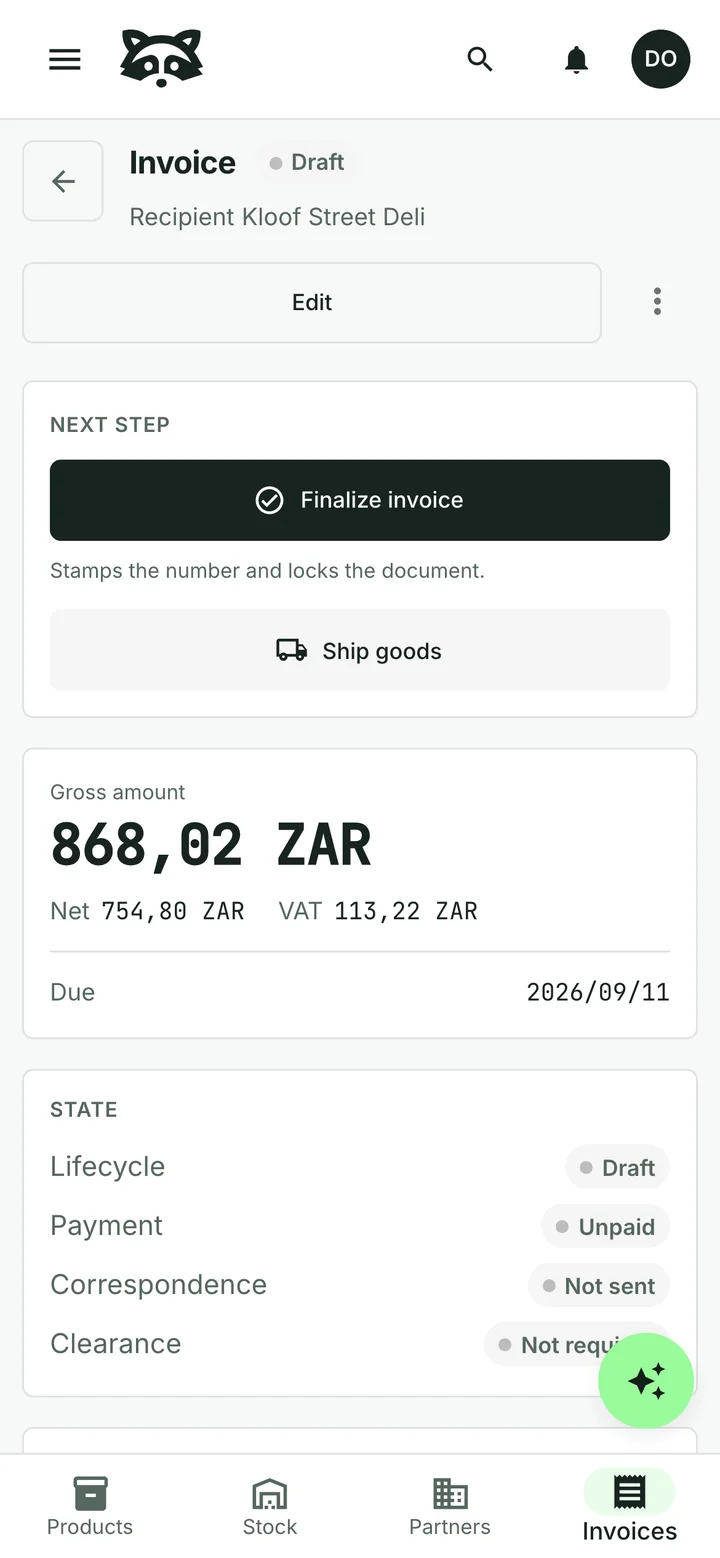
Ask for the invoice you need
“Please invoice Kloof Street Deli for twelve packs of Rooibos tea.”
The assistant uses your saved customer details and catalogue prices to prepare a draft. Check the quantities and amounts, then approve it. You decide when to finalise and send the invoice.
You can also create and edit invoices directly, on your phone or computer.
Keep the details ready for next time
Save a customer’s billing details and payment terms. Keep product descriptions, pack sizes and prices in your catalogue. The next invoice starts with those details already available.
Selling services? Add your hourly rates, day rates or fixed-price work in the same way. Tell the assistant what you sell and it can help organise your catalogue.

Send it. See what is still owed.
Send a PDF invoice with your own letterhead and numbering, with VAT shown separately. Review the email before it goes out.
Record a bank transfer or part payment and see the remaining balance. If a customer pays several invoices together, allocate the payment across them.
When an invoice is overdue, the assistant can prepare a reminder for you to check and approve before it is sent.

Let the assistant read supplier bills
Upload a supplier’s PDF or take a photo. The assistant reads the supplier, dates, items and totals, so you can check the details against the original instead of entering everything yourself.
Correct anything that needs attention, approve the bill and record payment when you make it. The original document stays with the record.
See how supplier bills work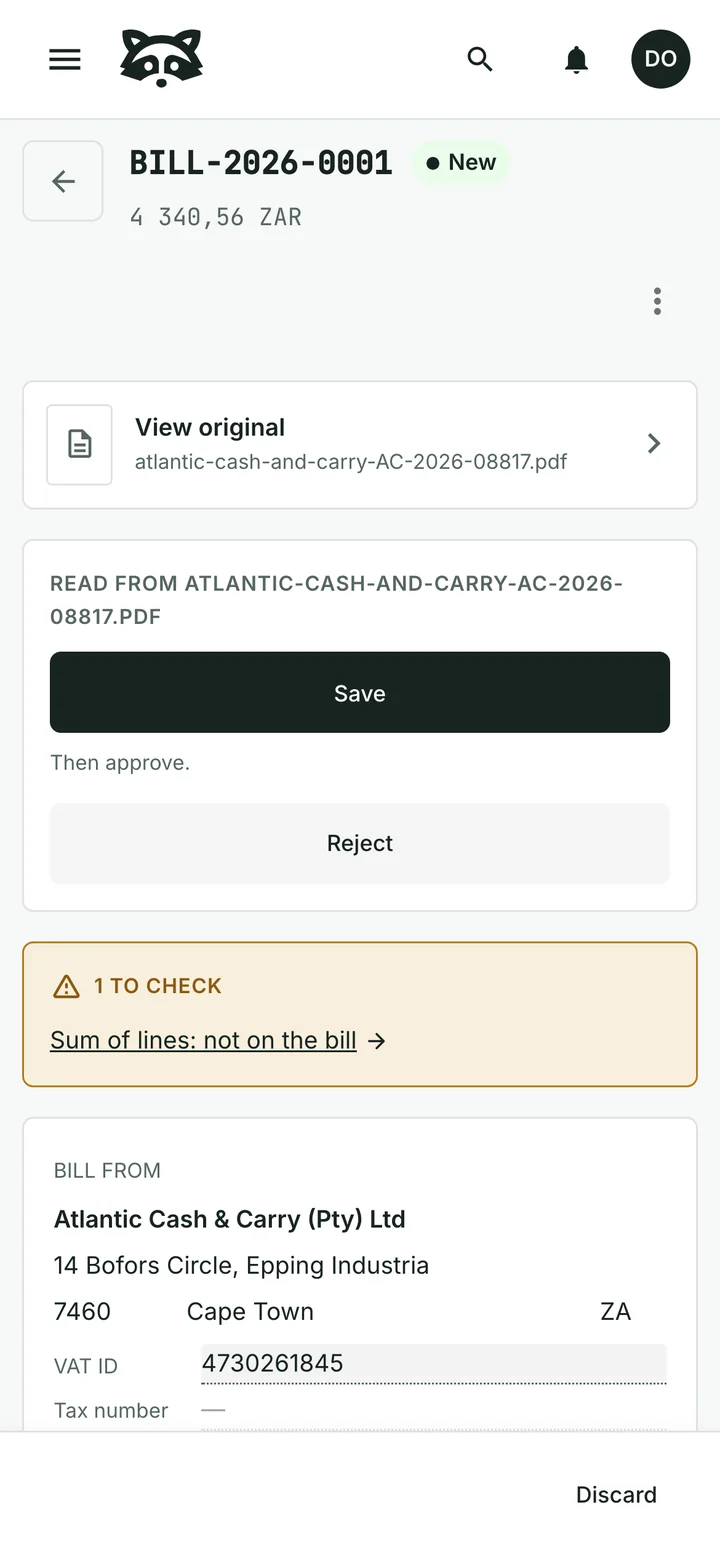
Check stock before promising a delivery
See what is available in your shop, store room or delivery vehicle. Record incoming goods and dispatches at the location involved, and set reorder points for the products you want to keep on hand.
Time for a stocktake? Enter what you count. Raccoon shows the difference from the expected quantity and records the adjustment when you post the count.
Explore stock for shops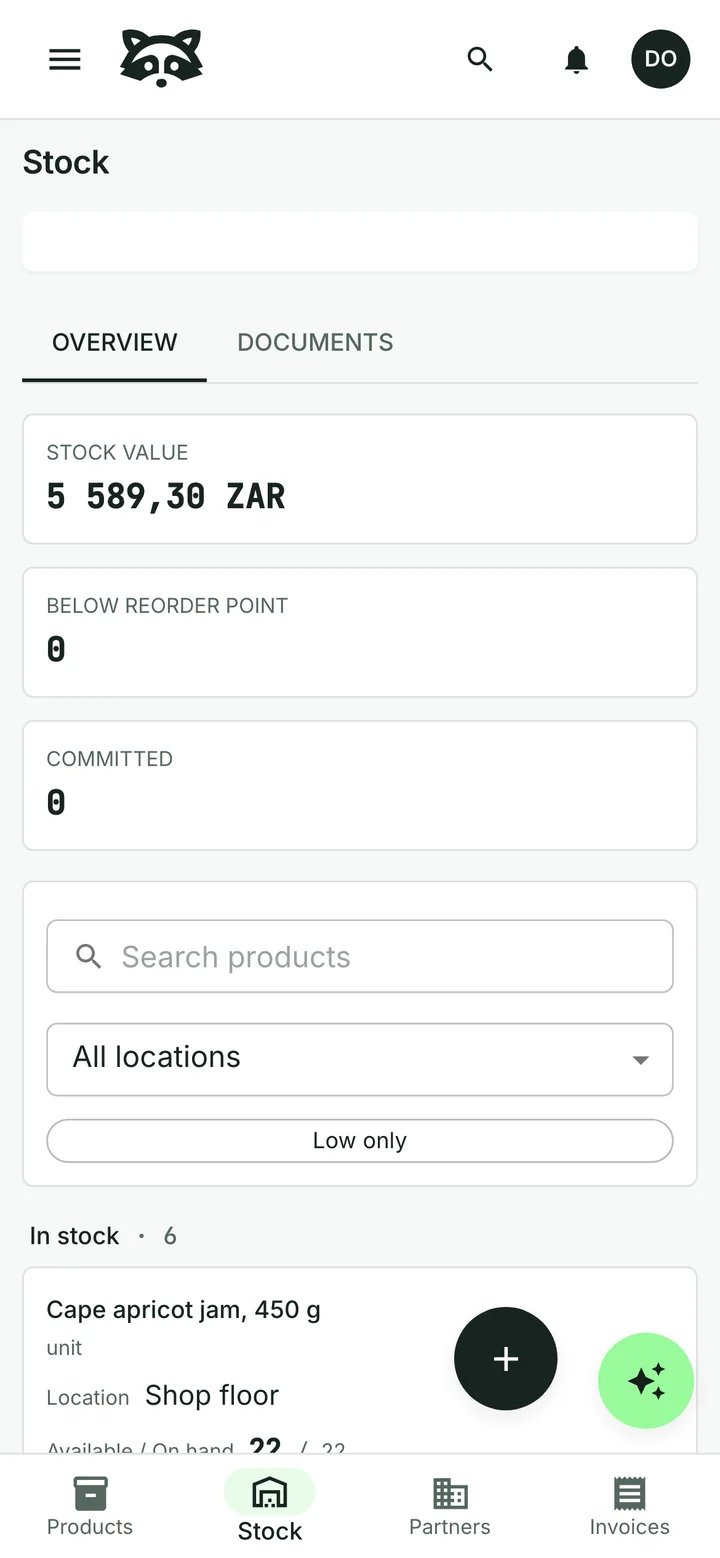
Start free
Add your first customer and product, or ask the assistant to help you get started. Choose a paid plan when you need higher limits. Prices include VAT.
Free
ZAR 0 forever
For one person getting started.
- 100 assistant actions a month
- 1 user
- Up to 50 products
- Up to 20 invoices a month
Starter
ZAR 79 a month
For regular invoicing.
- 160 assistant actions a month
- 3 users included
- Up to 1,000 products
- Up to 200 invoices a month
Upgrade inside Raccoon.
Growth
ZAR 159 a month
For a team sending invoices every day.
- 350 assistant actions a month
- 10 users included
- No product limit
- No invoice limit
Upgrade inside Raccoon.
Common questions
Can I use Raccoon on my phone?
Yes. Open Raccoon in your browser on a phone, tablet or computer. There is nothing to install. You need an internet connection.
Do I have to use the assistant?
No. You can create and edit records directly, or ask the assistant for help. The assistant proposes changes for your approval.
Can I send a quotation first?
Yes. Prepare a quotation, send it to your customer and record their answer. Create an invoice from the agreed items when you are ready to bill.
Explore quotationsWhat if a customer pays part of an invoice?
Record the amount received and Raccoon shows the balance still due. You can also allocate one payment across several invoices.
Can I show VAT on my invoices?
Yes. Add your business and customer details, VAT numbers, dates and item descriptions. Raccoon shows amounts and VAT separately. Check the document against the requirements that apply to your business.
See SARS tax-invoice requirementsDoes Raccoon submit VAT returns to SARS?
No. Raccoon does not submit VAT201 returns or connect to SARS eFiling. Keep using your existing filing process.
Read SARS guidanceTry it with your business
Start with a customer, a product or a supplier bill. The assistant can help you from there.