
From agreed work to paid invoice
Quote for a project, invoice the work and keep track of payment. Raccoon keeps your services, rates and client details together.
Start freeNo credit card. No time limit on the free plan.
Send a clear quotation
“Prepare a quotation for Jonas Hartmann for three days of workshop facilitation.”
Set out the work, quantities, rates and how long the quotation is valid. Use hourly or daily rates, or a fixed price for a package of work.
When the client accepts, record their answer and create an invoice from the agreed items.
Explore quotations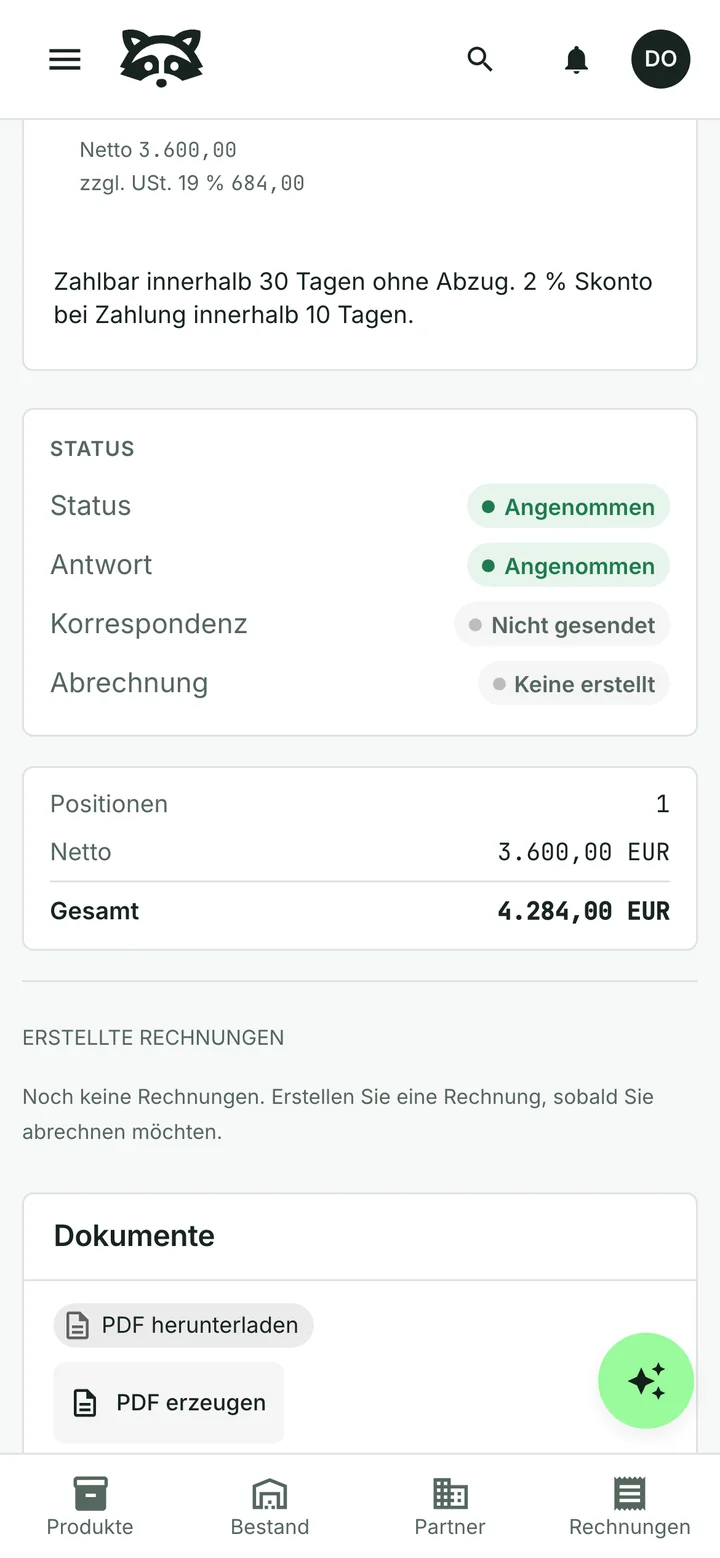
Keep your rates and services ready
Save the services you offer, their billing units and what is included. Add client references and payment terms to the invoice without rebuilding it from scratch each time.

See what has been paid
Record a full or partial payment and see the balance still due. If a client pays several invoices in one transfer, allocate the payment across them.
The assistant can prepare reminders for overdue invoices. Review each reminder before it is sent.
Keep the bills behind your work
Upload invoices for software, materials and other business purchases. Check the assistant’s reading, approve the bill and record its payment.
Explore supplier billsCommon questions
Can I invoice in my client’s language?
Yes. Choose the recipient’s language and use your own numbering and letterhead. The German example on this page shows how the document and interface can look in another language.
Can one quotation become several invoices?
Yes. Choose the quotation items you want to invoice each time. Accepting a quotation does not automatically issue an invoice.
Does Raccoon track my time?
There is no built-in timer or timesheet. Enter the hours or days you want to bill, or use a fixed-price service.
Can I send an e-invoice?
Raccoon can generate a ZUGFeRD / Factur-X PDF with embedded invoice data and a separate Peppol UBL file. Enable the format you need in your document settings. This does not include transmission over the Peppol network.
Can I start for free?
Yes. The free plan has no time limit and needs no credit card. Paid plans are billed monthly, with prices and limits shown for your country.
See plans and pricingTry it with your business
Start with a customer, a product or a supplier bill. The assistant can help you from there.