
Less paperwork between jobs
Keep client details, estimates, invoices and vendor bills together. Ask the assistant to prepare a draft using your saved services and prices. You check and approve.
Start freeNo credit card. No time limit on the free plan.
Send an estimate, invoice when ready
“Prepare an estimate for two days of design work.”
Save your services and rates, send an estimate and record the client’s answer. Create an invoice from the agreed items when it is time to bill, with your own letterhead and numbering.
Record payments, including partial payments, and see which invoices still have a balance. The assistant can draft overdue reminders for your approval.
Explore estimates and invoicesCheck vendor bills without retyping them
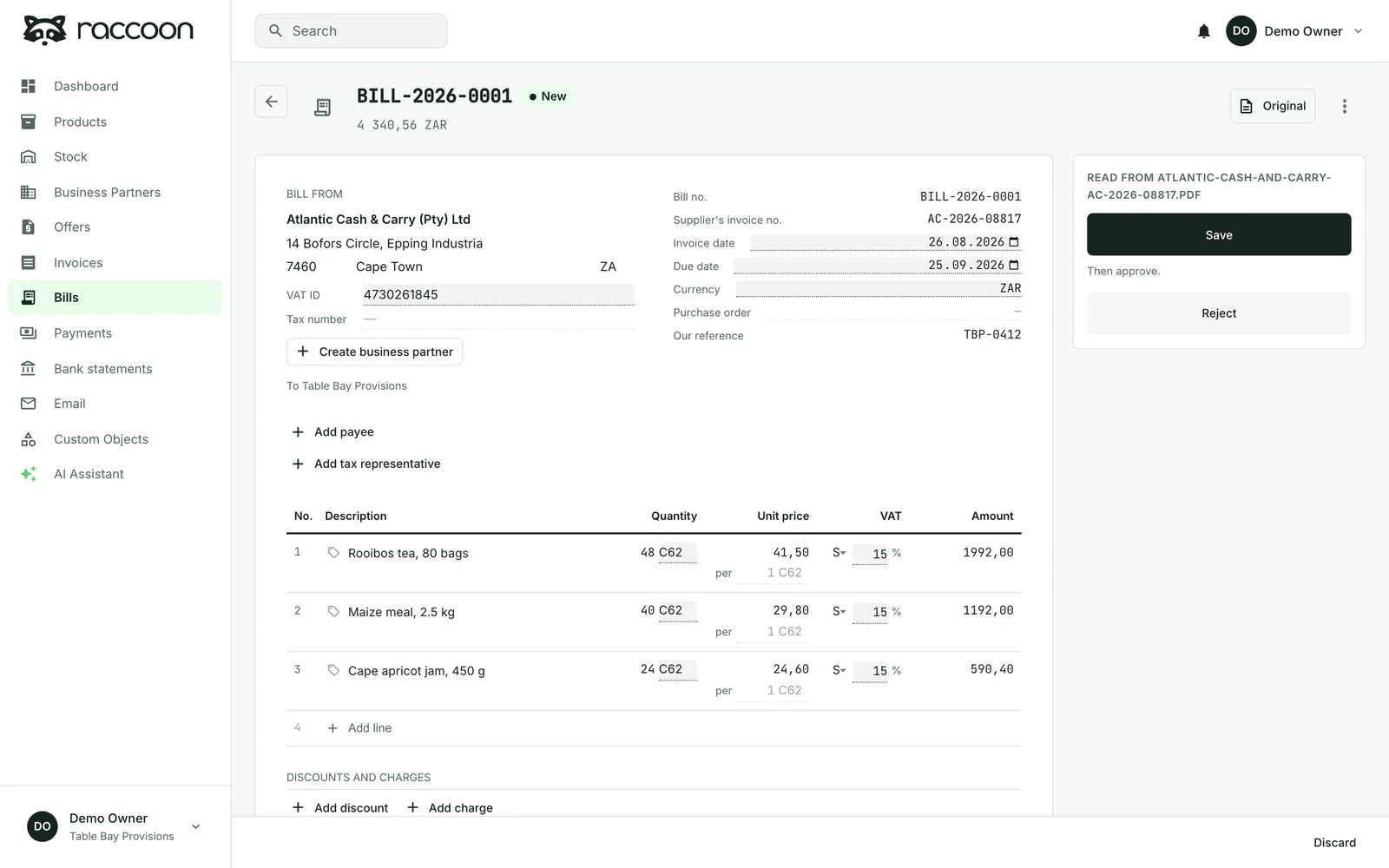
Upload a PDF or photo. The assistant reads the vendor, dates, items and totals so you can review them beside the original, approve the bill and record payment.
Selling goods too? Keep your catalog and inventory levels by location in the same app.
The example shows bill review for a South African shop; the same review tools are available to US businesses.
Explore vendor bills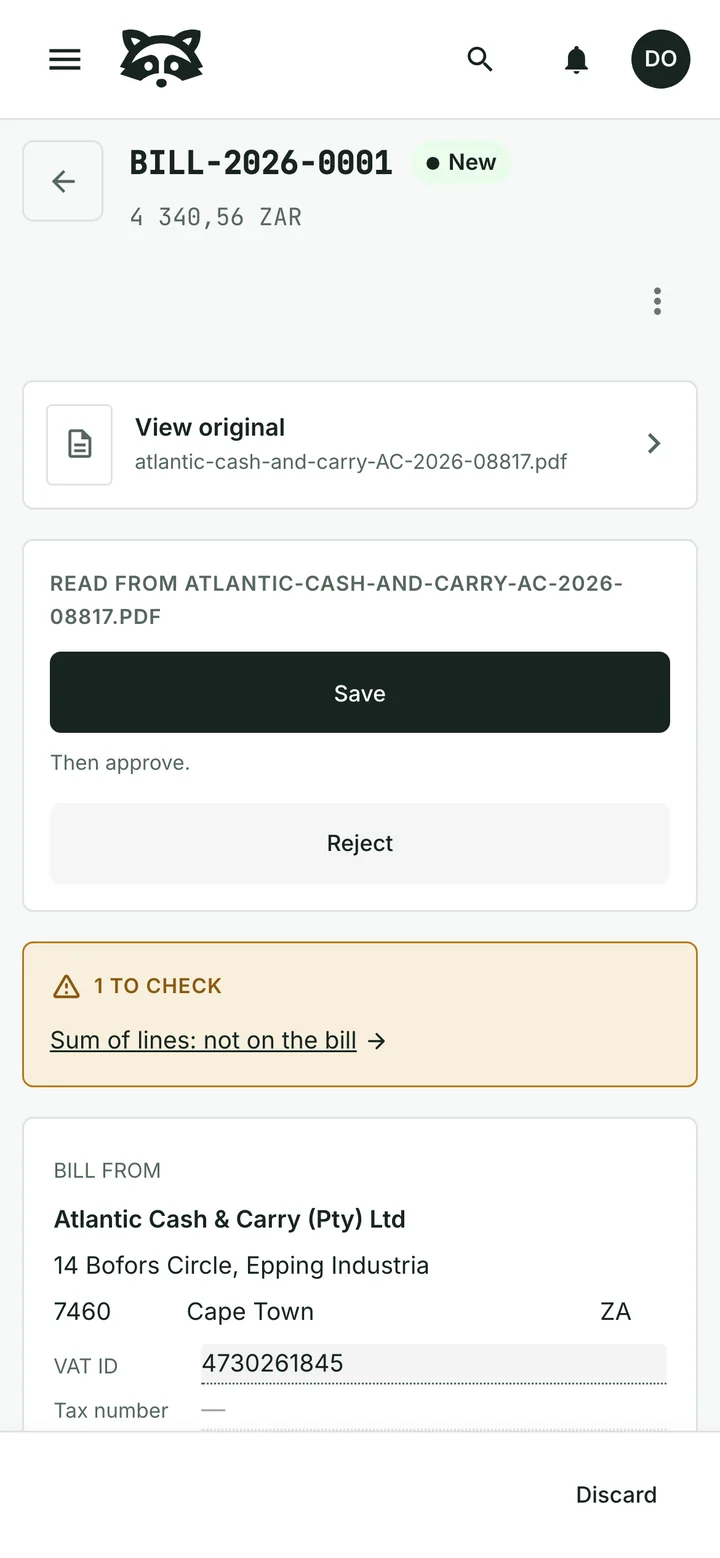
Common questions
Does Raccoon calculate US sales tax?
No. Raccoon does not calculate state and local sales tax or file sales-tax returns. If your sales require sales tax, keep your existing tax process and check whether Raccoon fits your invoicing needs before switching.
Can I record a partial payment?
Yes. Record the amount received against the invoice. Raccoon keeps the remaining balance visible so you can follow up with the customer.
Try it with your business
Start with a customer, a product or a supplier bill. The assistant can help you from there.